

SOLAKAKA E9 Pro MMO Vertical Mouse PAW3395 Sensor 1000mAh Battery 45° Vertical
SPECIFICATIONS
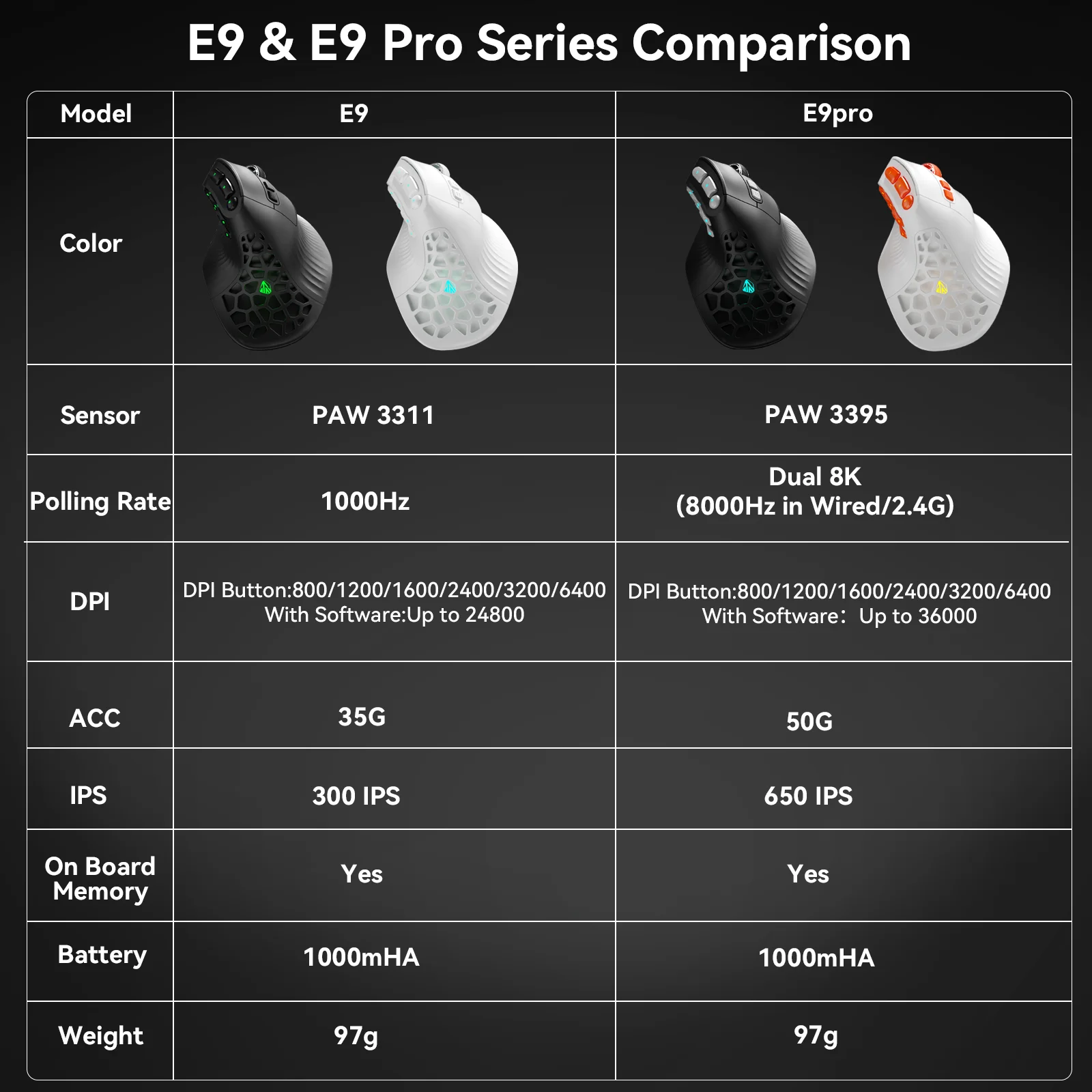
Acceleration: 50 G
Battery: 1000mAh
Battery Included: Yes
Brand Name: SOLAKAKA
DPI: 36000
Gross Weight: 97
Hand Orientation: Right
High-concerned chemical: None
Interface Type: USB
Movement speed, IPS: 600
Number of Buttons: 15
Number of Rollers: 1 pcs
Operation Mode: Opto-electronic
Origin: Mainland China
Package: Yes
Power Source: Rechargeable
Power Type: Rechargeable
Sensor model: Pixart 3395 (26000 DPI|650 IPS|50G)
Type: Bluetooth Wireless
SOLAKAKA E9 pro-The First Ergonomic Vertical Mouse Built for Gaming & All-Day Work
Innovation: Redefining the MMO Gaming Mouse
It breaks the dilemma that “comfort” and “performance” cannot coexist. The E9 Pro is the world's first vertical mouse specifically designed for MMO gaming, seamlessly blending revolutionary ergonomic grip with the precise control and rapid responsiveness demanded by MMO players and creators. It pioneers an entirely new category of vertical MMO mice.
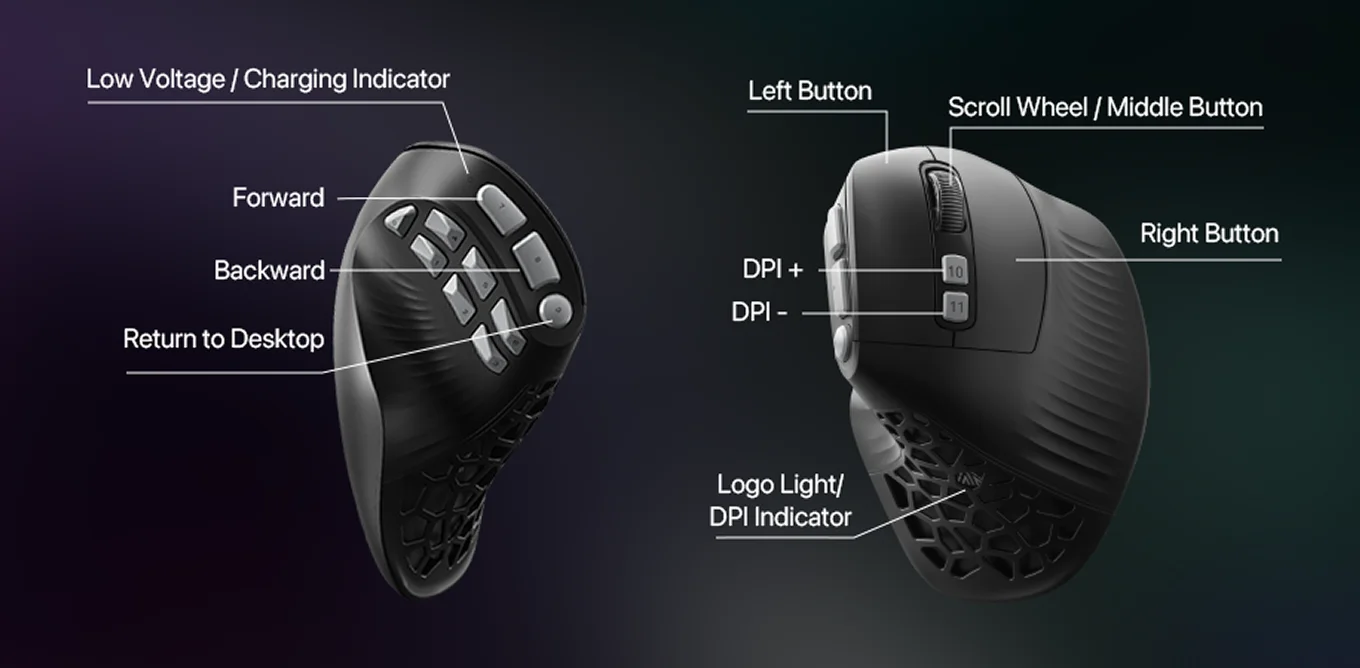
Tactical Thumb Zone-10 Programmable Side Buttons
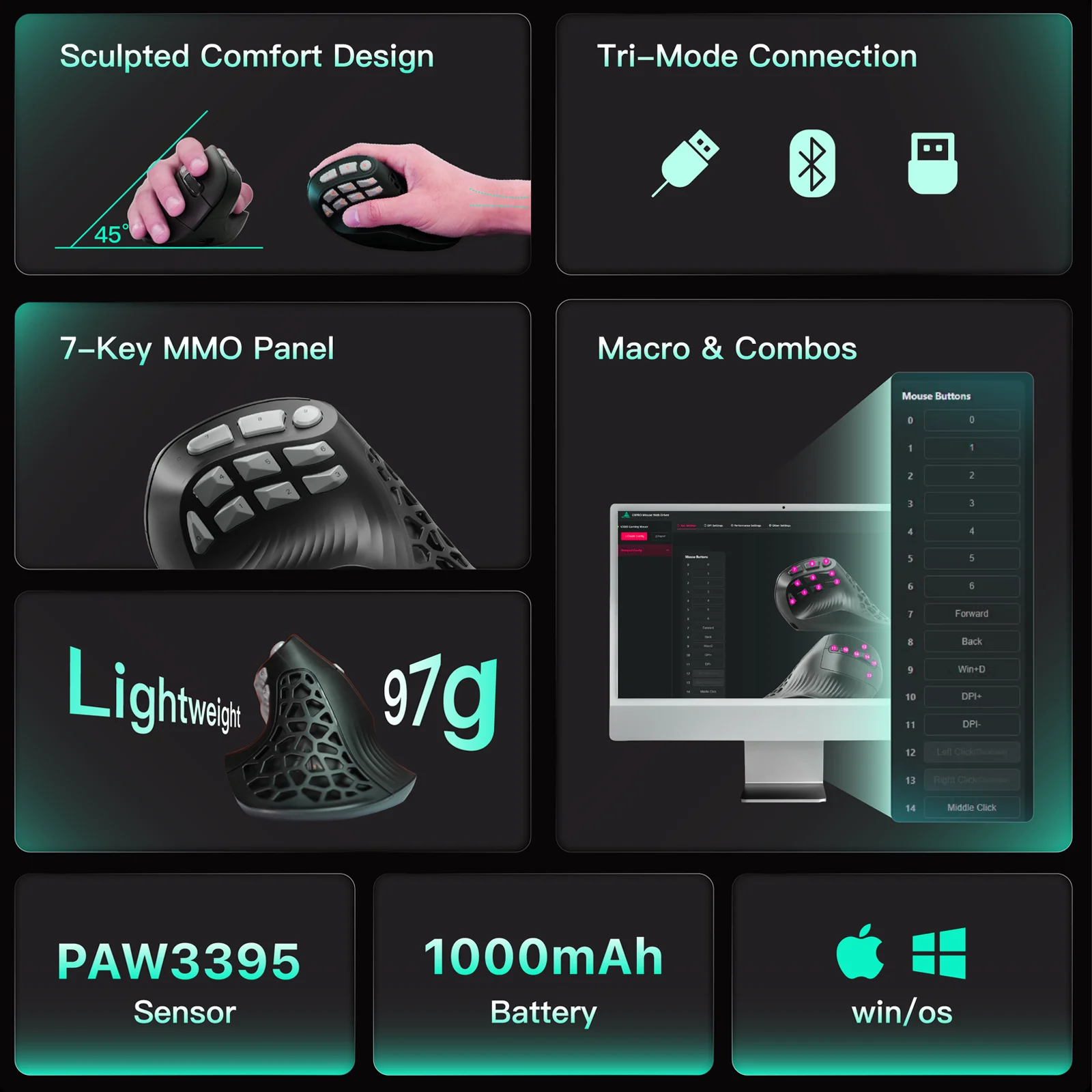
The E9 Pro’s vertical shape opens space for a true tactical thumb zone.Each of the 10 side buttons sits along the natural arc of your thumb, so every skill, tool, or shortcut is exactly where your muscle memory expects it.
No reaching, no searching — just instant access to what matters.45° Natural Grip, Zero-Pressure Control
Designed around the philosophy of natural hand relaxation, the E9 Pro effectively minimizes unnecessary wrist rotation and muscle tension. By aligning the hand, wrist, and forearm in a more natural straight line, it ensures precise control while significantly reducing hand fatigue and pressure during extended gaming or work sessions—letting you focus on the victory at hand.
Powered by the flagship-level PAW3395 chip
Beneath its sleek exterior lies a surging performance core. The E9 Pro incorporates cutting-edge performance components—from sensors to the main control chip—all engineered for lightning-fast responsiveness. It ensures every micro-control intent in your mind is precisely captured and instantly translated into critical on-screen actions, keeping you one step ahead in the game and seizing the initiative.
Top Concerns about E9pro:
Q1: The software displays “Device not connected”?
①Switch to 2.4 GHz wireless or wired mode (Bluetooth does not support advanced configuration)
②Grant browser permissions – the web driver requires access to HID devices (accept the pop-up in Chrome/Edge)
③Close other mouse software (e.g., Logitech G HUB, Razer Synapse) to avoid conflicts
④Unplug and re-plug the USB receiver, then refresh the pageQ2: Settings don't work or high latency over Bluetooth?
Q2: Settings don't work or high latency over Bluetooth?
①Protocol limitation: Bluetooth only supports basic functions. Configure complex macros in 2.4G/wired mode first, then switch back to Bluetooth.
③Reduce latency: Stay within 1 meter of your computer and away from Wi-Fi routers or other 2.4GHz interferenceQ3: How do I restore factory settings?
Q3: How do I restore factory settings?
①Via Software: Driver → “Restore Factory Default